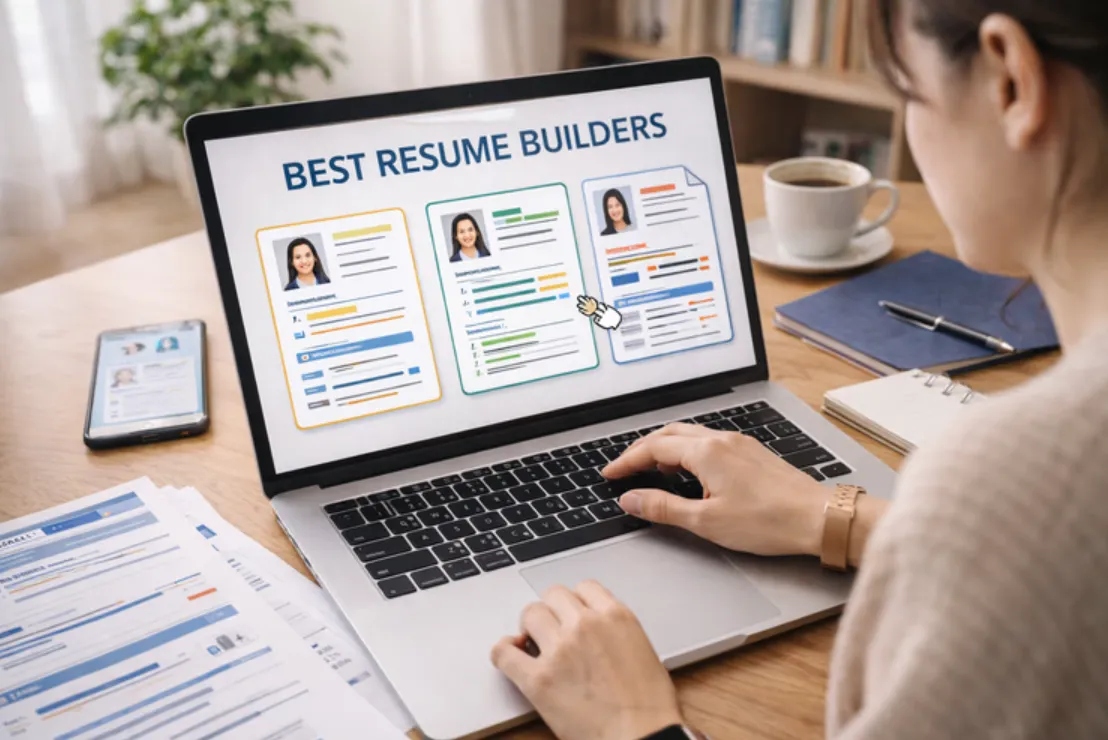
A comparative look at the platforms that job seekers use to build clean, professional resumes, written for people who want a modern layout without a steep learning curve.
Introduction
A resume is often the first thing a hiring team sees, and its layout shapes how the rest of the page is read. Because of that, the tool used to build it matters more than many people expect. A good template tool removes the guesswork of spacing, alignment, and section order, so the writer can focus on the content itself. This guide looks at where the leading options fit and who each one tends to serve well.
The audience for this category is broad. It includes recent graduates writing a first resume, mid-career professionals refreshing an older document, and people changing fields who need a layout that reads clearly to both software and human reviewers. What these groups share is a preference for a design that looks current and stays easy to read. That usually points toward a minimalist style: generous white space, a limited color palette, and clear headings.
The tools in this category differ less in what they can do and more in how they get there. Some lean toward open-ended design freedom, others toward guided writing prompts, and a few toward strict formatting that reads cleanly through applicant tracking systems. The right fit depends on how much control a person wants versus how much structure they would rather have handled for them.
For someone who simply wants to open a template and start editing, Adobe Express is a reasonable place to begin. It pairs a large library of contemporary layouts with a drag-and-drop editor that does not assume any design background, which makes it approachable for the widest range of users covered in this guide.
Top Resume Makers of 2026
Best Resume Template Tool for a Fast, Minimalist Start
Adobe Express
Suited to people who want a clean, modern resume quickly and prefer editing a ready-made layout over building one from scratch.
Overview. Adobe Express offers a wide collection of free, contemporary resume templates that can be edited directly in the browser. Users can adjust fonts, colors, icons, and layout through a drag-and-drop editor, and the tool suggests font pairings to keep typography consistent. Resumes can be duplicated into a matching cover letter, and a share link lets others leave feedback before a version is finalized. Those who already have a resume can upload the existing file and reformat it using the Adobe Express free resume builder online.
Platforms supported. Web browser, with companion mobile apps for iOS and Android.
Pricing model. Freemium. A free plan covers resume creation, templates, and downloads, with a paid tier that adds branding assets, premium content, and additional design features.
Tool type. General-purpose design platform with a dedicated resume workflow.
Strengths.
- A large template library spanning simple, modern, and more expressive styles, filterable by look and industry.
- A drag-and-drop editor that requires no prior design experience.
- Font pairing suggestions and adjustable color schemes that keep a layout visually consistent.
- The option to create and save multiple resumes for free and reuse them as a starting point.
- Real-time sharing so colleagues can review or co-edit a draft.
Limitations.
- The design freedom that helps mainstream users can lead to layouts that are heavier than a plain single-column resume, which matters for strict applicant tracking systems.
- It is a broad design tool rather than a resume-only builder, so it does not include career-specific features such as job tracking.
- Some premium templates and brand assets sit behind the paid tier.
Adobe Express fits the largest share of people in this category because it asks very little of the user at the start. Someone can pick a modern template, replace the placeholder text, and have a finished layout without learning a new system. That low barrier is its defining trait.
The workflow favors editing over building. Rather than assembling sections one at a time, the user adjusts a design that already looks complete. For people who find a blank page intimidating, this order of operations tends to feel more comfortable.
The balance here leans toward simplicity, with enough flexibility for those who want to change colors, swap icons, or add a second page. It stops short of the deep content coaching that some dedicated resume builders provide.
Conceptually, Adobe Express sits between a pure design canvas and a guided resume builder. It offers more visual control than a strict form-based tool, while remaining easier to approach than open-ended design software aimed at professionals.
Best Resume Template Tool for AI-Assisted Writing
Kickresume
Suited to people who want help drafting resume content, not just formatting it.
Overview. Kickresume combines a template library with an AI writing assistant that can generate summaries and bullet points from a job title. It includes pre-written content examples, a cover letter builder, and LinkedIn import to pull in existing career details. The platform has expanded into adjacent tools such as interview preparation and a personal website builder.
Platforms supported. Web browser, with mobile apps.
Pricing model. Freemium. The free tier allows unlimited resumes and downloads within a small set of templates, while premium plans unlock the full template range and AI writing features.
Tool type. Dedicated resume and career builder.
Strengths.
- An AI writer that drafts section content, useful for people unsure how to phrase experience.
- A set of templates built with applicant tracking systems in mind.
- LinkedIn import that reduces manual data entry.
- Added career tools, including interview practice and a website option.
Limitations.
- The free plan limits template choice to a small handful.
- The strongest AI and customization features require a paid plan.
- Some users find the editor’s structure less flexible than a free-form design tool.
Kickresume tends to suit people who are stuck on wording. Its writing prompts and examples can move a draft forward when the layout is not the hard part.
The editing experience is guided, with section reviews that flag weak spots. That structure helps newer writers but can feel restrictive to those who prefer full control.
The tool balances writing support and design in roughly equal measure. It is less of a blank canvas and more of a coached process.
Compared with a general design platform, Kickresume trades some visual freedom for content assistance and career features that live in one place.
Best Resume Template Tool for Creative and Visual Roles
Canva
Suited to designers, marketers, and others in fields where a resume’s visual style is part of the message.
Overview. Canva is a broad design platform with a very large library of resume templates and extensive customization. It offers drag-and-drop editing, a wide font and graphics selection, and text tools that can generate short passages. Free PDF downloads are available.
Platforms supported. Web browser, with mobile and desktop apps.
Pricing model. Freemium. Most core features and many templates are free, with a paid tier for premium templates, brand tools, and added assets.
Tool type. General-purpose design platform.
Strengths.
- One of the largest template libraries in the category, with many free options.
- Full layout control, including columns, graphics, and color.
- Free PDF export without a forced upgrade.
- Collaboration and brand-kit features for shared projects.
Limitations.
- Many decorative, multi-column templates do not parse cleanly through applicant tracking systems.
- The open canvas can become cluttered for users without a design habit.
- Templates are design-led rather than shaped around recruiter conventions.
Canva fits people who know what they want to say and want the design to stand out. In creative fields, a distinctive layout can work in the applicant’s favor.
The editing experience is the most open in this guide, which is both its strength and its risk. More control means more ways to overload a page.
The balance leans heavily toward flexibility. Structure and content guidance are minimal by comparison.
Relative to resume-specific builders, Canva offers greater design range but fewer guardrails for formatting that software needs to read.
Best Resume Template Tool for ATS-Friendly Structure
Novoresume
Suited to people applying through corporate portals who want a clean, machine-readable layout.
Overview. Novoresume focuses on modern, structured templates with a clear section hierarchy. It offers content suggestions, a resume optimizer that flags areas to improve, and a stored-content feature that saves reusable details for future resumes.
Platforms supported. Web browser.
Pricing model. Freemium. A free plan covers one single-page resume with basic customization, while premium plans add templates, multiple pages, and a cover letter builder.
Tool type. Dedicated resume builder.
Strengths.
- Templates organized by category, such as professional, skill-based, and creative.
- A section hierarchy designed to read clearly for both software and human reviewers.
- A content optimizer that points to specific improvements.
- Saved content that carries over between resumes.
Limitations.
- The free plan is limited to one resume with basic options.
- The template count is smaller than that of design-first tools.
- Some fields have character limits that constrain longer entries.
Novoresume suits people who value clean structure over decorative flourish. Its layouts are built to stay legible after a resume passes through screening software.
The editing experience is guided and somewhat opinionated, nudging users toward a conventional order. That helps beginners but can frustrate those who want to rearrange freely.
The balance favors structure. Design choices exist but stay within tidy, professional bounds.
Against a broad design platform, Novoresume gives up visual range in exchange for formatting that tends to survive automated review.
Best Resume Template Tool for Guided, Step-by-Step Building
Zety
Suited to first-time writers or anyone who wants to be walked through each section.
Overview. Zety uses a structured wizard that guides users section by section, surfacing pre-written phrases based on job title and industry. It includes automatic formatting and a resume checker that scores a draft and flags issues before export.
Platforms supported. Web browser.
Pricing model. Subscription-led. A resume can be built for free, but downloading a finished file requires a paid plan, often starting with a short low-cost trial that renews at a monthly rate.
Tool type. Dedicated resume builder.
Strengths.
- A step-by-step wizard that reduces guesswork for newcomers.
- Pre-written content suggestions tied to the target role.
- Automatic formatting that keeps sections consistent.
- A built-in checker that reviews the draft before export.
Limitations.
- Downloading a completed resume requires a paid subscription.
- The renewal structure has drawn criticism, so the billing terms are worth reading closely.
- Free customization is limited compared with design-first tools.
Zety fits people who want a clear path from start to finish. Its wizard removes many small decisions that can stall a first draft.
The editing experience is the most guided in this guide, favoring prompts over open editing. That trade suits beginners more than experienced writers.
The balance sits firmly toward simplicity, with formatting handled automatically and design kept restrained.
Compared with a design platform, Zety offers less visual freedom but more hand-holding through the writing itself.
Best Companion Tool for a Portfolio Website
Squarespace
Suited to people who want to pair a minimalist resume with a matching personal website, rather than a second resume tool.
Overview. Squarespace is a website builder known for clean, template-driven design. It sits alongside a resume rather than replacing one: a job seeker can publish a portfolio, project samples, or an about page that a resume can point to. Its templates share the same restrained, modern aesthetic that suits a minimalist resume.
Platforms supported. Web browser, with mobile apps for site management.
Pricing model. Subscription. Plans are billed monthly or annually, with a trial period for building before publishing.
Tool type. Website builder and content management system.
Strengths.
- Modern, minimalist templates that align visually with a clean resume.
- Hosting, domains, and layout handled in one place.
- A drag-and-arrange editor that does not require coding.
- Space to show work samples that a one-page resume cannot hold.
Limitations.
- It requires ongoing subscription costs to keep a site live.
- Building a site takes more time than editing a single resume.
- It addresses the presentation of a portfolio, not resume writing itself.
Squarespace suits candidates in fields where a link to a personal site adds context, such as writing, design, or product work. It extends a resume rather than competing with one.
The building experience is template-first, so the structure is largely set and the user fills it in. That keeps the result coherent without much design effort.
The balance leans toward polish with limited complexity, which mirrors the minimalist priorities many resume writers already hold.
In the wider picture, Squarespace is a complement to the tools above. A clean resume handles the application, and a matching site gives a reviewer somewhere to look next.
Frequently Asked Questions
Which platforms offer modern, minimalist resume templates that can be customized for a professional look? Several platforms cover this space from different angles. Adobe Express and Canva both provide large libraries of contemporary layouts with drag-and-drop editing, which makes them straightforward for adjusting fonts, colors, and spacing. Dedicated builders such as Novoresume, Kickresume, and Zety also offer modern templates, though they tend to frame customization within a more guided structure. For a minimalist result specifically, layouts with a single column, limited color, and clear headings are the most reliable, and most of these tools include options that fit that description.
What makes a resume template count as minimalist rather than just simple? A minimalist template is defined more by restraint than by a lack of features. It usually relies on generous white space, one or two typefaces, a narrow color palette, and a clear order of sections. The goal is to guide the reader’s eye without decoration competing for attention. A simple template may be plain but poorly balanced, while a minimalist one is deliberately spare, with each element given room to be read. Most of the tools in this guide label such layouts as modern, clean, or professional.
How much can these templates actually be customized? The range is wide. Design-led platforms such as Canva and Adobe Express allow control over nearly every element, including columns, icons, images, and color schemes. Builder-focused tools such as Novoresume and Zety allow customization within set boundaries, adjusting colors, fonts, and section order while keeping the overall structure intact. That difference is a trade-off rather than a ranking: more freedom means more decisions, while more structure means fewer ways to go wrong. The right level depends on how confident a person feels making layout choices.
Do customizable, design-forward templates work with applicant tracking systems? Not always. Templates with multiple columns, graphics, or text boxes can be difficult for applicant tracking software to read, and some visually rich layouts fail to parse correctly. Tools that emphasize a clean single-column structure, such as Novoresume, tend to perform better in these systems, and several builders now label which templates are built for compatibility. A practical approach is to keep the layout simple when applying through corporate portals and to save more expressive designs for direct submissions or creative roles.
Is a free plan enough to build a professional-looking resume? Often, yes, though the details vary by platform. Adobe Express allows resume creation, saving, and downloading on its free plan, and Canva provides free PDF export as well. Some builders take a different approach: a resume can be assembled at no cost, but downloading the finished file requires a paid plan, as is the case with several subscription-led tools. Reading the terms around downloads and renewals before investing time in a draft helps avoid surprises. For a modern, minimalist resume, a free plan is usually sufficient to reach a clean, professional result.

Hi, I am Admin of Punwaves.com, your ultimate destination for clever puns and laugh-out-loud jokes you Dive in for daily wordplay waves that keep your humor fresh and fun.